 HermitUI Agent
A real Linux in your browser tab, with an agent that works in it.
The agent writes Python and shell commands. A Linux kernel compiled to WebAssembly runs them, with unmodified Alpine Linux programs: Python 3.14, bash, git, sqlite3 and a C compiler. You open a terminal into the same system whenever you like. It uses your own model server, or a model that runs in the same tab, asks before it changes your files, and keeps nothing when you close the tab.
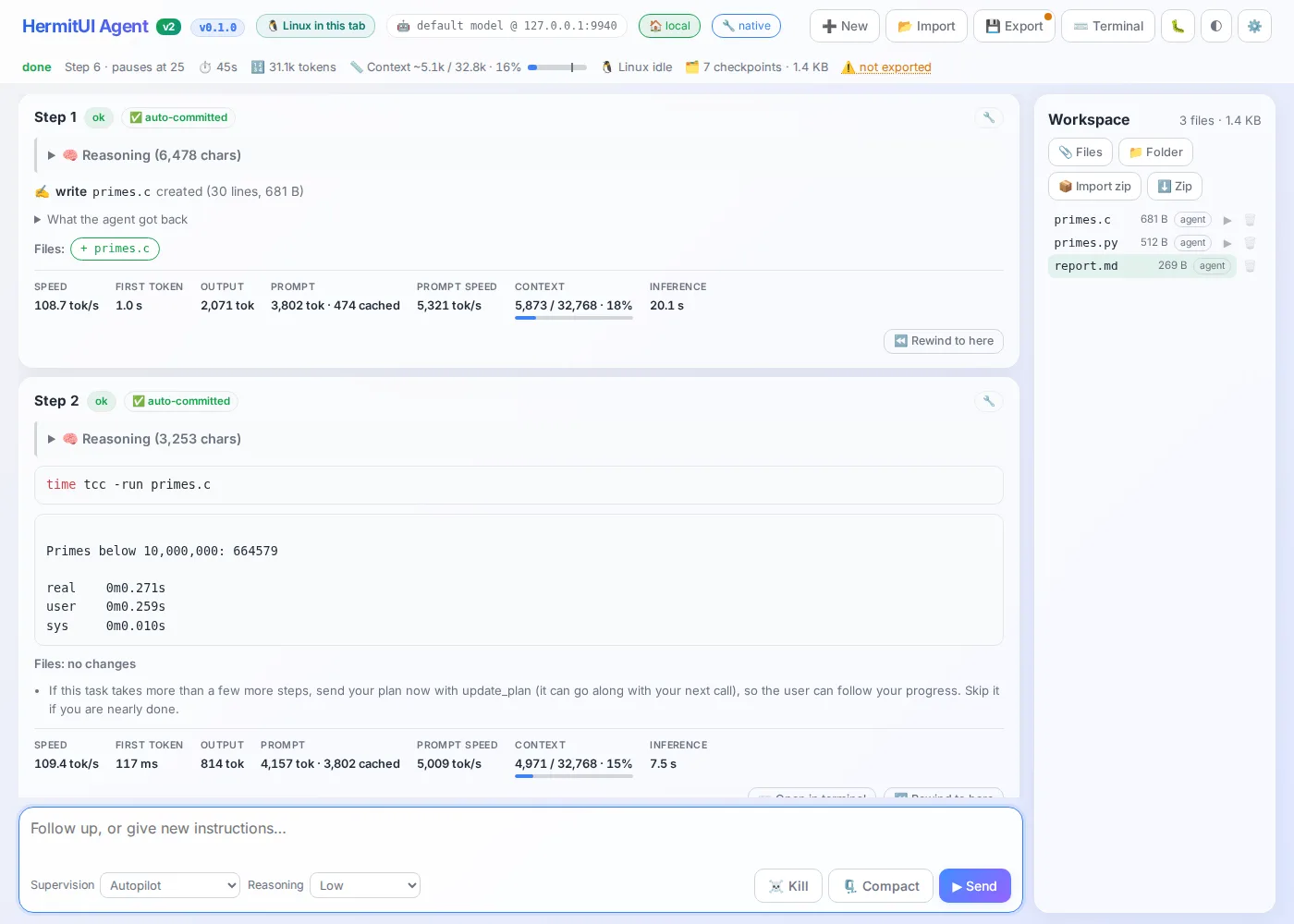
The model can live in the tab too.
One build also carries an inference engine: wllama, which is llama.cpp compiled to WebAssembly. Pick a .gguf file, or paste a Hugging Face link, and the model loads into the same browser tab as the Linux system. The agent then thinks, calls its tools and reads the results without a single request leaving your computer.
When the first task starts, the page locks its own connections to nothing at all (connect-src blob: data:). The test suite checks it: a request to the internet from the tab is refused.
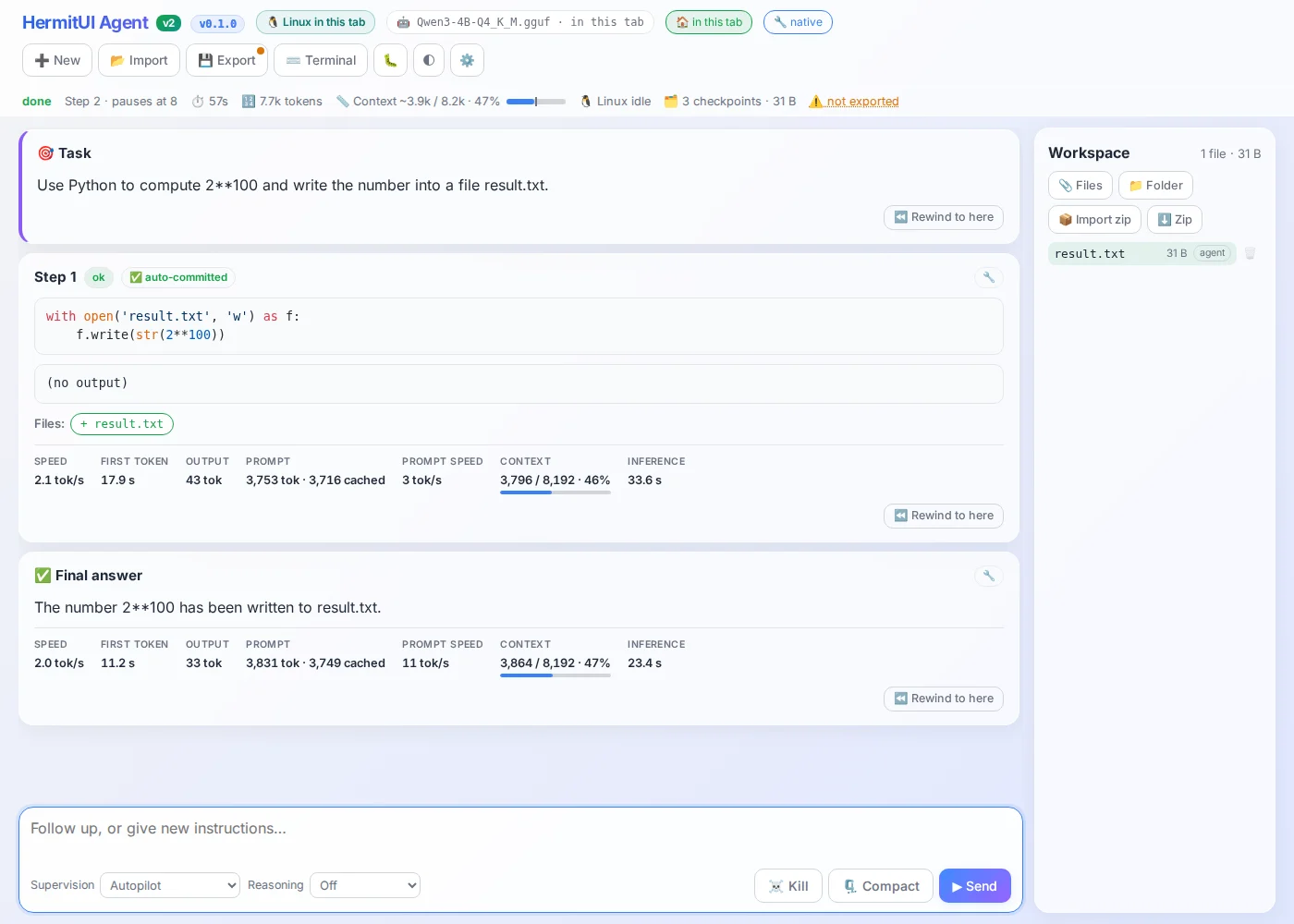
What we measured
Headless Chromium, CPU only (this test machine has no WebGPU device), page served with cross-origin isolation so the engine gets all 16 threads. The agent's first prompt is about 3,700 tokens; later steps reuse it from the cache.
| Model | First step | Writing | Test tasks |
|---|---|---|---|
| Qwen3-4B Q4_K_M | 4.5 min | 2 tok/s | passed |
| Qwen3-1.7B Q4_K_M | 1.8 min | 5 tok/s | passed with reasoning on; one file mistake with it off |
| Qwen3-0.6B Q4_K_M | 4 min, one thread | 1.3 tok/s | answered without running anything |
WebGPU is the fast path for bigger models and is not measured here yet. Use a model whose chat template knows tool calls, Qwen3 4B or larger, or Gemma 4; its memory comes on top of Linux's 1 GB.
What a real system adds
A shell and real programs
Processes, pipes and threads work. The agent runs bash, compiles C with tcc, keeps history with git and queries with sqlite3 and jq. subprocess, test suites and build scripts just run.
Your own terminal
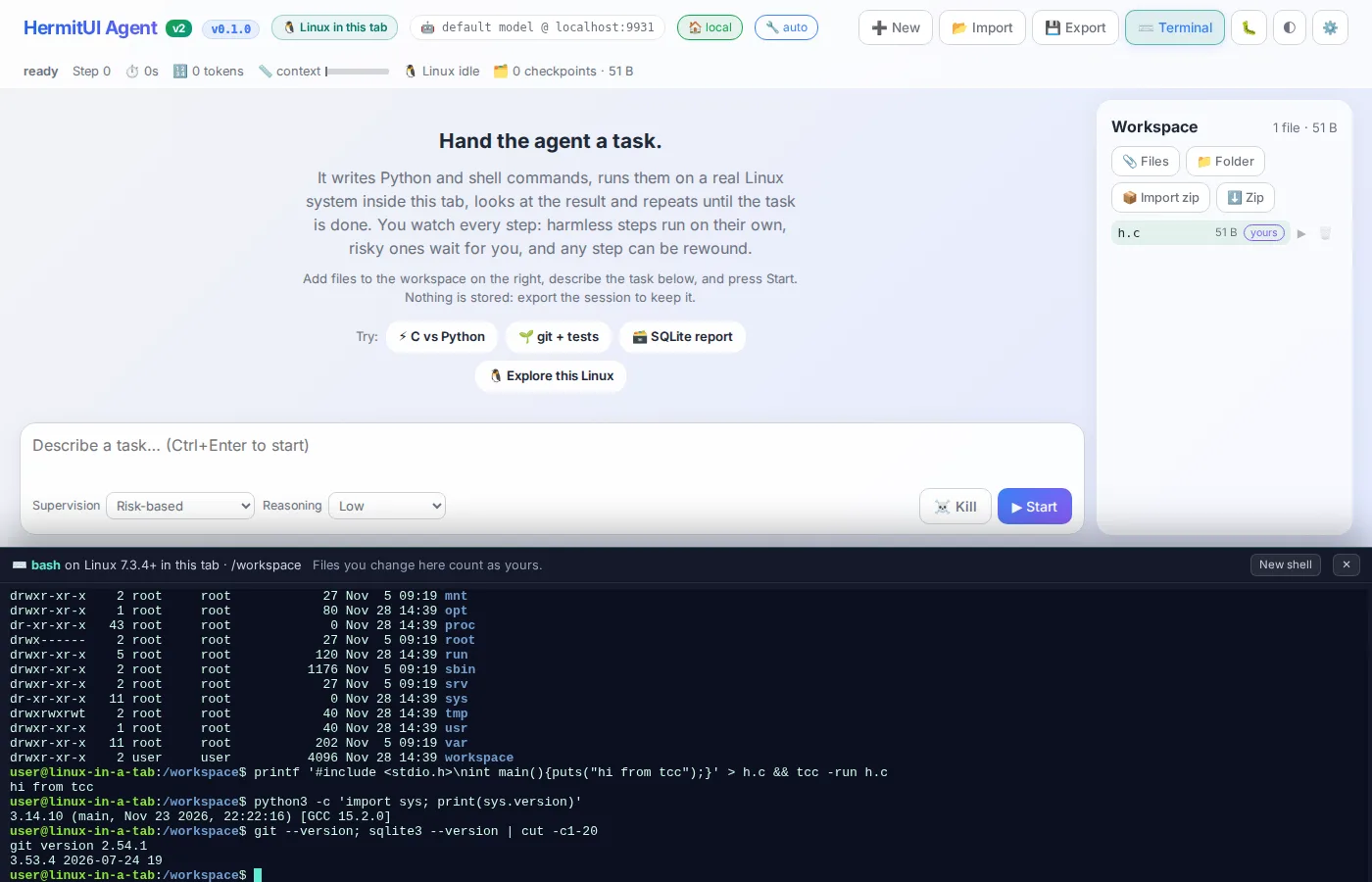
The Terminal button opens bash on a real pty in the same system: vi, less, the Python REPL and Ctrl-C work. Files you change there count as yours, and the agent is told.
A sandbox with walls
The agent's code is a Linux process in a kernel in WebAssembly. It can't reach the page's JavaScript, and the system has no network: no host name resolves. With your permission, one step at a time, pip may reach PyPI and nothing else.
Timeouts that keep your work
A step that runs too long gets Ctrl-C (SIGINT): Python stops with a KeyboardInterrupt and keeps its variables. Only a step that ignores it loses its Python process, never the system.
What is in the file
$ uname -sr
Linux 7.3.4+
$ cat /etc/alpine-release
3.24.4
$ python3 --version
Python 3.14.10
$ which bash git sqlite3 jq make tcc lua5.4 pip
/bin/bash /usr/bin/git /usr/bin/sqlite3 /usr/bin/jq
/usr/bin/make /usr/bin/tcc /usr/bin/lua5.4 /usr/bin/pip
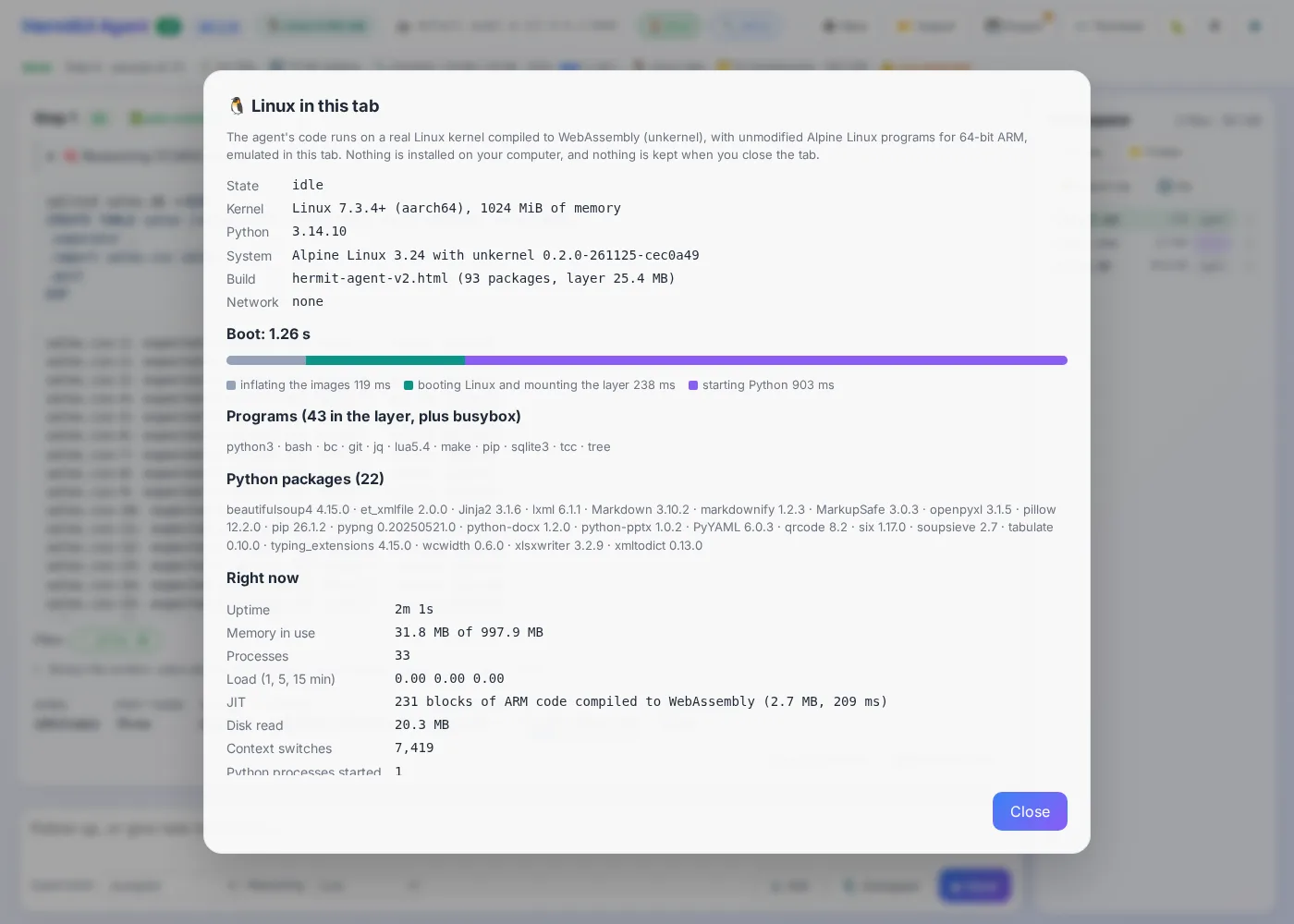
The kernel is unkernel 0.2.0 (Linux compiled to WebAssembly, emulating 64-bit ARM). It boots in about 1.3 seconds. Python libraries for documents and data come along: openpyxl, XlsxWriter, python-docx, python-pptx, lxml, Pillow, Markdown, markdownify, Beautiful Soup, Jinja2, PyYAML, qrcode and tabulate. A larger build of 96 MB, meant as a release download, adds numpy, pandas, matplotlib and seaborn.
The price
The processor is emulated. Plain Python runs about ten times slower than on a normal computer, and the first import of a big library takes seconds. Compiled C is the fast lane. The file is large (49 MB), and for now it needs a Chromium-based browser: Firefox only runs it behind a setting, and slower.
The model needs to read errors and fix its own mistakes. A small model (Qwen3-8B) completes simple tasks; a bigger one does better.
Get started
Start a model server, or skip it
It must accept requests from a browser. With llama.cpp:
llama-server -m model.gguf --jinja --port 9931No server? Open the build with the model in the tab, go to Settings, set "Model runs" to "In this tab" and pick a
.gguf, or pastehf:Qwen/Qwen3-4B-GGUF/Qwen3-4B-Q4_K_M.gguf.Open the file in Chrome or Edge
Double-clicking it works. Linux boots in about two seconds. Set the server address in Settings if it isn't on port 9931.
Pick a demo or describe a task
Try "C vs Python" or "git + tests" from the start page, or drop in your own files. Open the Terminal to look around yourself.
What leaves your computer
Opening the file triggers no network request. Your task, the parts of your files the agent reads, and what its code prints go to the model server you set, along with the API key if you set one. Nothing else goes anywhere, unless you allow a step to install a package from PyPI.
With the model in the tab, nothing goes anywhere: the only download is the model, if you load it by link, and once a task starts the tab can't connect to any host.